From listing to true profit in three steps
No spreadsheet, no guessed fees. This is what actually happens when you run a calculation.
Step 1
Enter the deal as it really is
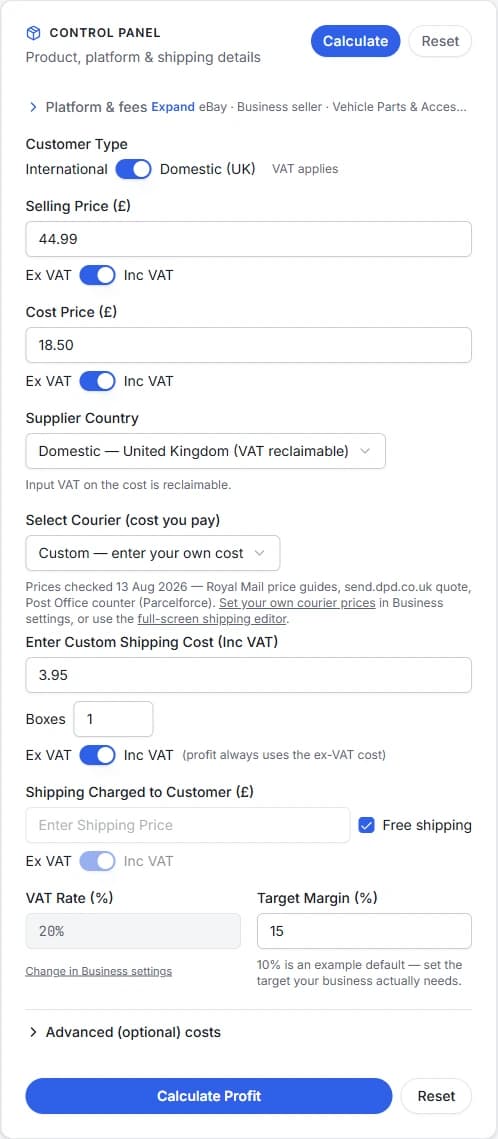
Selling price and product cost, each marked inc- or ex-VAT so nothing is double-counted. Your platform and category — because a 9.5% category and a 12.9% category are very different businesses. Postage you pay, postage you charge, and optionally packaging, labour and a returns reserve.
If you've saved your business defaults (platform, market, VAT status, target margin), every new calculation starts from them.

Step 2
The engine does the boring part properly
Platform fees are resolved from the verified rate card for your market and category — final value fee, per-order fee, regulatory fee, promoted listings if you use them. VAT is handled in both directions: what you owe on the sale, what you reclaim on costs, and what fee-VAT really costs you if you're not registered.
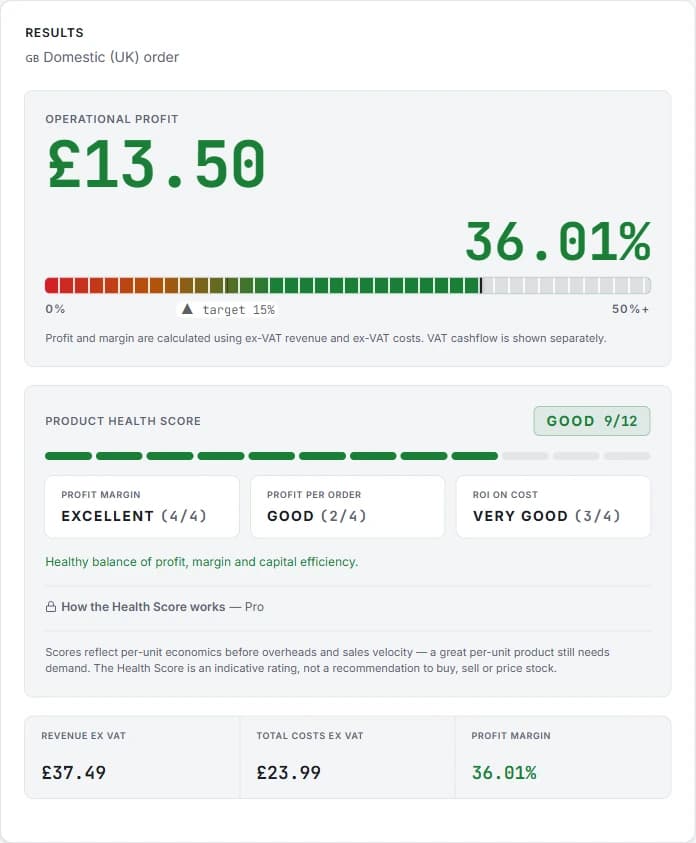
Profit is ex-VAT revenue minus ex-VAT costs. VAT never inflates or deflates the margin — it's reported separately as cashflow.

Step 3
Read the verdict, not just a number
You get true profit and margin against your target, break-even price, the price that hits your target margin, and a health score that balances margin, profit per order and return on the cash you tied up.
Pro adds the workflow on top: save products, compare them side by side, import your eBay listings in bulk and watch the whole catalogue's health.

What the results look like
A real calculation — £44.99 car part, £18.50 cost, £3.95 postage — exactly as the app shows it.
Try it on one of your own products
Free, no account needed — the rates are all public, and the guides go deeper on fees, VAT and pricing.
Open the calculator